

Before you dive in: I built addTaskManager to help you actually get things done. It uses a simple framework: Assess what matters, Decide what's next, Do the work. No complex setups—just clarity and action. Use code ZENFLOW for 50% off Lifetime Purchase.
Since becoming location independent 15 years ago, I fly a lot. And every time I do, I have to check 3–4 sites just to understand how long a trip would be, what the best routes are, and where to find affordable tickets. So I built Flight Lens to help me with this.
What Problem Does It Solve?
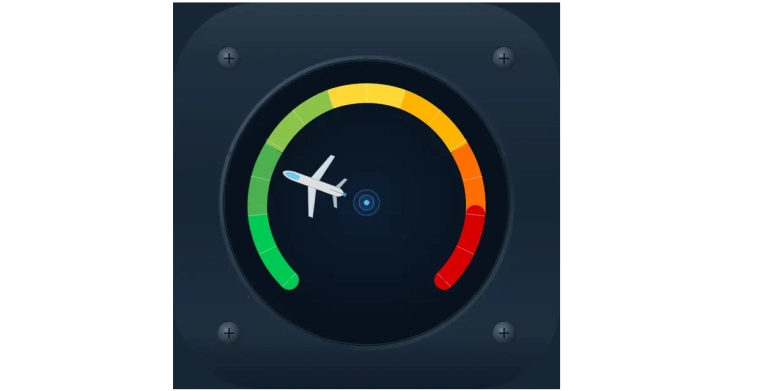
Flight Lens answers in a very simple way a relatively complicated question: “How safe is it to fly right now?” It computes an overall metric, the “traffic pulse”, based on hundreds of thousands of data points it ingests daily: flight routes, schedules, cancellations, delays and delay clustering, and so on. Visually, it’s very similar to the “Fear and Greed Index” — if you’ve been into crypto, it will look very familiar.
Features
There are 3 more layers built on top of this: flight booking, alerts, and live aircraft tracking. Let’s take them one at a time.
Flight booking digs into all that data we’re processing and tries to find the best routes and tickets. It also provides critical information like route reliability, average delay, and a proxy for getting cheap and reliable tickets — I’m using the Aviasales interface.
Alerts are set-and-forget data points that you can monitor across 4 ranges: traffic pulse (global and regional), routes, flight delays, and prices. For the traffic pulse, you can set something like: alert me when it’s over 50 globally (this means there’s serious disruption) — or you can monitor a specific region, like Asia-Pacific, with its own threshold. For routes, you can track, for instance, the Lisbon–Miami route and get alerts when significant changes appear. Same for a specific flight number (delays, cancellations, gate changes) or even the price of a specific route.
And last, but certainly not least, the live map gives you that familiar overview of in-flight aircraft, with search, zoom, and all the goodies.
Pricing — And a Promo Code
Flight Lens can be used out of the box for free. All features work right away — ad-gated, but they work. If you want a richer experience, one without ads and with extra credits for live map search, you can choose between two tiers: Light and Pro.
For $1.99/month, Light gives you an ad-free experience, up to 4 alerts (one for each type: pulse, routes, flight, and prices), and 7 daily credits.
For serious travelers, Pro gives you up to 10 alerts and a 20% bonus when buying credits, on top of the 15 daily credits already included — all for just $5.99/month. Given the current landscape of aviation app pricing, I think this is at the lower end; I’m trying to be really competitive in this niche.
I’m going even further: to celebrate the launch, you can use the code LAUNCH for a 50% discount on the Pro yearly plan — that’s just $19.99 for an entire year of Pro benefits.
Challenges
This was probably my most daring attempt at building something based on real-time data at such a large scale. It involved complex API budget management, careful pricing layering, and some very complex UI choices. Aviation apps are among the most complex out there. The number of builds submitted to the App Store tells a story by itself: 87. That means I had to manually test and correct 87 different builds. For comparison, a “normal” app is in the 10–20 range.
I know there’s always room for improvement, but for now I’m happy with the MVP — which, by the way, is already live in the App Store.
Flight Lens is already at version 1.0.1 and I’m actively developing features suggested by early testers. I’d love your feedback, especially around the traffic pulse and alert types.
I've been location independent for 15 years
And I'm sharing my blueprint for free. The no-fluff, no butterflies location independence framework that actually works.
Plus: weekly insights on productivity, financial resilience, and meaningful relationships.
Free. As in free beer.